
Wait until night before treating a missing tent prompt as a bug. In documented Early Access gameplay, the player places a tent during the day and explicitly says sleeping is unavailable until night; the same recording also notes that no sleep prompt is visible at that moment. Tent sleep and campfire rest are separate interactions, so test them separately and do not assume a daytime tent should refill everything immediately.
The evidence does not provide an official, exhaustive list of every condition that can block tent sleep. It also does not confirm a universal button, mission lock or placement radius. The safest route is to verify time of day, placement and interaction focus, then compare the tent with a known campfire rest point. If the prompt is still absent at night, preserve the state and report the current version instead of editing the save.
Dimraeth tent rest checks
- Confirm that the world has reached night rather than dusk or a dark indoor area.
- Approach the tent from several clear sides and let its interaction receive focus.
- Remove nearby objects only if they visibly compete for the same interaction.
- Check the current objective for a building or placement step that is still incomplete.
- Test a campfire separately to determine whether all rest actions or only tent sleep is affected.
- Save normally, return to the menu and reload the same world once.
- Record the version, time, world and visible prompts if night-time sleep remains unavailable.
These checks are ordered by reversibility. Do not dismantle an entire base, abandon quests or modify game files before confirming the simple day-and-night boundary.
Daytime and night-time eligibility
The strongest direct evidence for this keyword is a creator's observation after placing a tent: it is daytime, sleeping is not available until night, and no prompt is visible. This establishes a time gate for that recorded build. It does not establish the exact clock threshold, because no numerical time is shown in the excerpt.
Use the lighting and whatever time indicator the current interface provides. A dark forest, cave or storm does not necessarily mean the world is in its sleep-eligible night state. Wait for an unmistakable transition before testing again. Do not repeatedly dismantle and rebuild the tent during the day; that changes placement without testing the actual condition.
If the prompt appears at night, the system is working and the daytime absence was expected. If it remains absent, continue to placement and focus checks while keeping the time state constant.
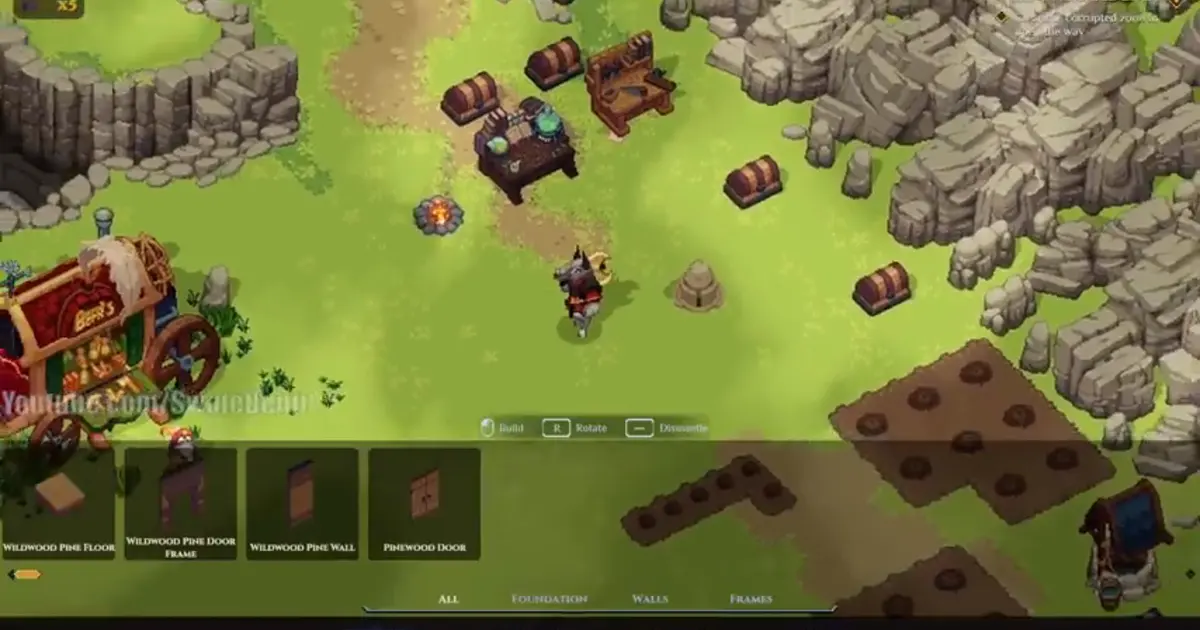
The Tent appears in the Sanctum build menu during daytime, but the sleep prompt is time-gated; verify night state after placing it.
Tent sleep and campfire rest are separate
Recorded gameplay describes campfire rest as an action that can restore reusable health-extract charges and respawn certain enemies. It also says resting begins consuming hunger after the first boss in that version. Later in the same long recording, the creator notices that the campfire no longer presents a rest prompt and the newly placed tent has no sleep prompt during daytime.
Those observations show why the two interactions should not be merged. A campfire can support rest, training or cooking; a tent can support sleep. The absence of one prompt does not prove the other object is broken. Test each object with the job it is expected to perform.
Use the campfire recipe guide when the missing function is cooking rather than sleeping. A recipe list, a rest action and a tent prompt are three distinct interface states.
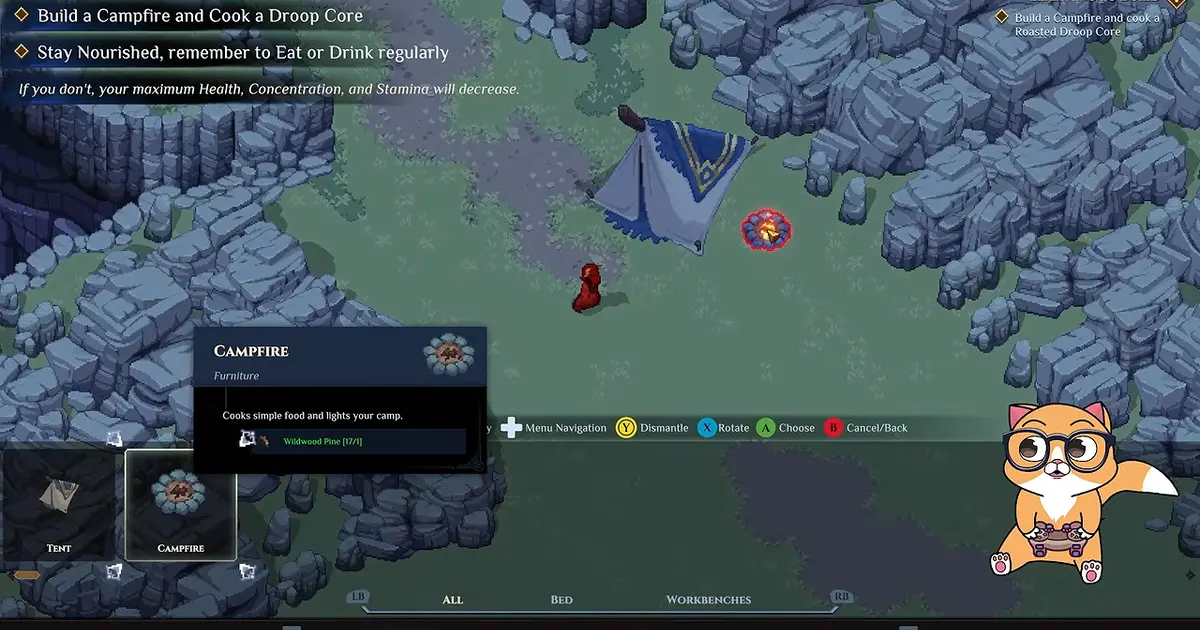
A Tent and Campfire can stand together, but each object must be tested through its own interaction and time condition.
Interaction focus around placed objects
Dimraeth bases can contain workbenches, chests, a campfire, a tent and a waypoint in a compact area. Creator footage warns that objects placed too close to a waypoint can trap a character after teleporting, and that workbenches placed too close together can make selection awkward. The excerpt does not say the same spacing rule definitively controls tent sleep, but it supports a cautious focus check.
Stand near the tent without facing another interactable. Move around its perimeter slowly and watch the prompt area. If the highlight repeatedly selects a nearby campfire, chest or waypoint, create enough room for a clean test. Move or dismantle only the single competing object you can safely replace, not every structure.
Do not claim a precise required distance. None is documented in the available documentation. The goal is simply to give the tent an uncontested interaction target.
Placement completion
A placed model is not always the same as a completed, usable building. The footage shows a sequence of constructing early base objects and then interacting with them to advance quests. If the current build displays a construction state, missing materials or an unfinished objective, complete the normal placement flow before testing sleep.
Check whether the tent can be selected in building mode and whether the world treats it as a finished object. Do not infer an invisible material requirement; read the interface. If it was placed as part of a quest, check whether that quest has acknowledged construction.
If the object is clearly complete and the night condition is met, avoid rebuilding it repeatedly. Preserve the working state for a clean reload or bug report.
Base state and world ownership
Buildings and recruited services belong to a world rather than simply following every character. When testing a tent in co-op, record whose world contains the structure and who placed it. Current records do not explain whether every guest can use every tent sleep action, so host-versus-guest behaviour is an important comparison, not a settled rule.
Ask the host to test the same completed tent at the same night state. If the host sees a prompt and the guest does not, capture that difference. If neither player sees it, the problem is more likely tied to time, placement, world state or the current build.
Do not destroy another player's base object as a troubleshooting shortcut. Build a separate test tent only when the world owner agrees and the required materials are not scarce.
Combat and active interaction states
The available transcript does not explicitly state whether combat blocks tent sleep. Still, the interface may be occupied by an active encounter, dialogue or construction mode. Exit those states normally before deciding the prompt is absent.
Move to a calm part of the base, close the build menu, finish the current dialogue and let nearby enemies disengage if the game shows a combat state. Then approach the tent again at night. This is a general interface-isolation step, not a claim about a documented combat restriction.
Avoid leading enemies into the base solely to test the opposite condition. Keep the comparison safe and change one variable at a time.
Campfire rest consequences
In the recorded build, campfire rest replenishes reusable extract charges and tells the player that enemies have respawned, though the creator notes that not every enemy actually returns. After the first boss, rest also drains hunger in that playthrough. These consequences can make a missing rest prompt feel urgent, but they should not be converted into promises for every patch.
Before planning a rest, prepare food if the current interface says hunger will be consumed. Expect some world enemies to return rather than assuming a complete map reset. If the goal is only sleep or advancing time, use the tent at the eligible time instead of treating the campfire and tent as identical tools.
The Dimraeth recipes guide covers food and consumable preparation. The boss replay guide covers intentional repeat encounters; ordinary campfire respawns are not a replacement for the Guild Hall bounty system.
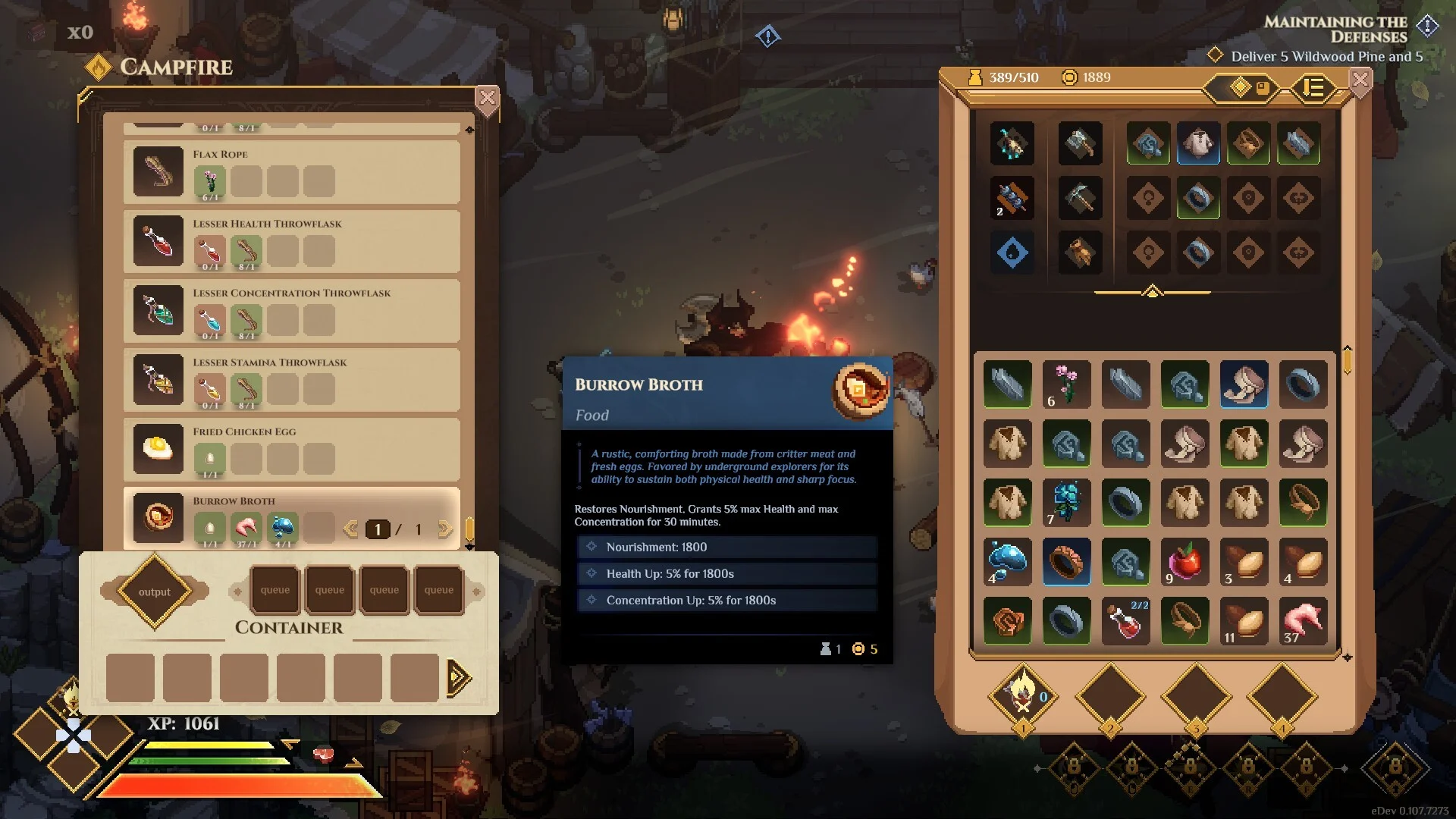
The campfire interface illustrates the separate preparation and recovery loop; it does not prove that a daytime Tent should offer sleep.
A controlled placement test
When night-time eligibility is confirmed and interaction focus remains unclear, run one controlled test:
- Take screenshots of the current tent and nearby objects.
- Choose an open part of the same base where placement is allowed.
- Place one tent without a waypoint, chest or campfire touching its edges.
- Exit building mode completely.
- Approach from the clearest side at night.
- Record whether the prompt appears.
If the clean tent works, the original site likely had a placement or focus conflict. Move the original arrangement cautiously. If the clean tent also fails, stop spending materials and preserve the evidence.
This does not establish an official spacing requirement. It isolates one variable without turning an uncertain theory into a game fact.
Safe reload sequence
Close construction, storage, dialogue and crafting interfaces. Let the game save through its normal flow, then return to the menu. Reload the same character and world, wait for the scene to finish loading, and test the completed tent at night before moving anything.
No current documentation guarantees that reloading will fix the prompt. This step clears a transient interface state while avoiding a forced shutdown during a save. If it changes the result, record that detail in case the prompt disappears again.
Check the installed version when comparing with older footage. The creator explicitly contrasts beta behaviour with Early Access changes around beds, tents and campfires. Do not expect a beta experience bonus or interaction to remain merely because it appeared in an older build.
Version boundaries
The available footage is version-sensitive. It says beta builds had beds by that stage and describes an experience bonus, while the recorded Early Access route uses a temporary tent because those beds are not yet available at that point. This is historical context, not a promise that the same unlock timing applies after later patches.
Use the current build's construction catalogue and quest text. If beds or sleep objects have moved in progression, follow the live interface. Do not manufacture a missing bed recipe or claim the tent is obsolete without current evidence.
Early Access can change prompts, eligibility and effects. A useful report always includes the version and date instead of saying only “the latest patch.”
Actions that do not belong in this fix
Do not apply mission-lock advice from another game. Its weather states, currencies and chapter restrictions cannot establish Dimraeth's tent rules.
Do not change system time, use console commands or install a mod to force night. Do not edit a save flag or download a trainer. The available documentation offers no verified safe path through those tools, and a narrow interaction bug does not justify the risk.
Do not assume the top dialogue choice, an unrelated quest abandonment or a specific class controls tent sleep. None of those claims are established for this problem.
Useful bug report fields
If the tent remains unusable at confirmed night, include:
- game version and date;
- character and world;
- host, solo or guest state;
- time-of-day evidence;
- whether the tent is complete and selectable;
- nearby interactable objects;
- whether a clean isolated tent behaves differently;
- whether campfire rest is present;
- current quest or construction objective;
- result after a safe menu reload;
- screenshots or a short recording of the missing prompt.
State the symptom narrowly: “completed tent has no sleep prompt at night” is more useful than “rest is broken.” If campfire rest is also absent, report both observations separately.
Final rest decision
During the day, no tent sleep prompt is expected in the recorded build. Wait for night. At night, confirm the tent is complete, give it clear interaction focus, exit other interface states and test in the correct world. Compare the campfire separately.
If those conditions are satisfied and no prompt appears, the evidence does not justify another invented prerequisite. Preserve the world, avoid destructive experiments and submit the exact state. That is the safest response to an Early Access interaction whose full rule set has not yet been verified.
Repeat the final test only once after the next natural night cycle if continuing to play is safe. A prompt that returns after time advances again points to a transient time-state issue; a prompt that remains absent gives the report a stronger reproduction. Do not wait through repeated cycles solely to force an uncertain workaround.
Record the control case at the same time. Approach another nearby object that normally offers an interaction and confirm that its prompt appears. If no prompt appears for either object, the problem may be interaction focus or an interface state rather than the tent rule. If the other object works while the completed tent does not, the result is narrower and easier to report. Keep the camera distance, character, world and input method unchanged between the two checks. This comparison does not create a new prerequisite; it simply prevents a general interaction failure from being mislabeled as a sleep restriction.