
Dimraeth already has unofficial mods for navigation, camera control, difficulty, translation and progression changes, but current records do not show an official mod API or one universal installation method. Choose a mod for one specific problem, match it to the current Early Access build, back up both character and world data, and test it by itself before combining anything.
The Nexus catalogue snapshot showed eight results on September 21, 2026. Named entries included a configurable minimap, a camera zoom tool, a harder difficulty and custom level-cap mod, a navmesh fix, and a larger mod menu. A GitHub topic page also showed an unofficial French translation project. These are catalogue observations, not endorsements or guarantees that the files remain current.
Dimraeth mods by purpose
| Mod type | Dated example | Suitable goal | Main risk |
|---|---|---|---|
| Navigation | Configurable minimap with player marker and compass | Reduce orientation friction | May conflict with UI changes or reveal more than intended |
| Camera | Configurable quick zoom with hotkeys | Adjust visibility and framing | Can break controls or presentation after a patch |
| Difficulty | Extra hard mode and custom level-cap controls | Create a challenge or test progression | Can invalidate balance comparisons and saves |
| Pathfinding fix | Community navmesh fix listing | Address a specific movement problem | Scope and affected areas are not documented in the evidence |
| Translation | Unofficial French patch and patcher | Read text in another language | Can become incomplete when dialogue changes |
| Cheat-style menu | Progression, resource and combat controls | Disposable testing or accessibility experiments | Highest save, co-op and security risk |
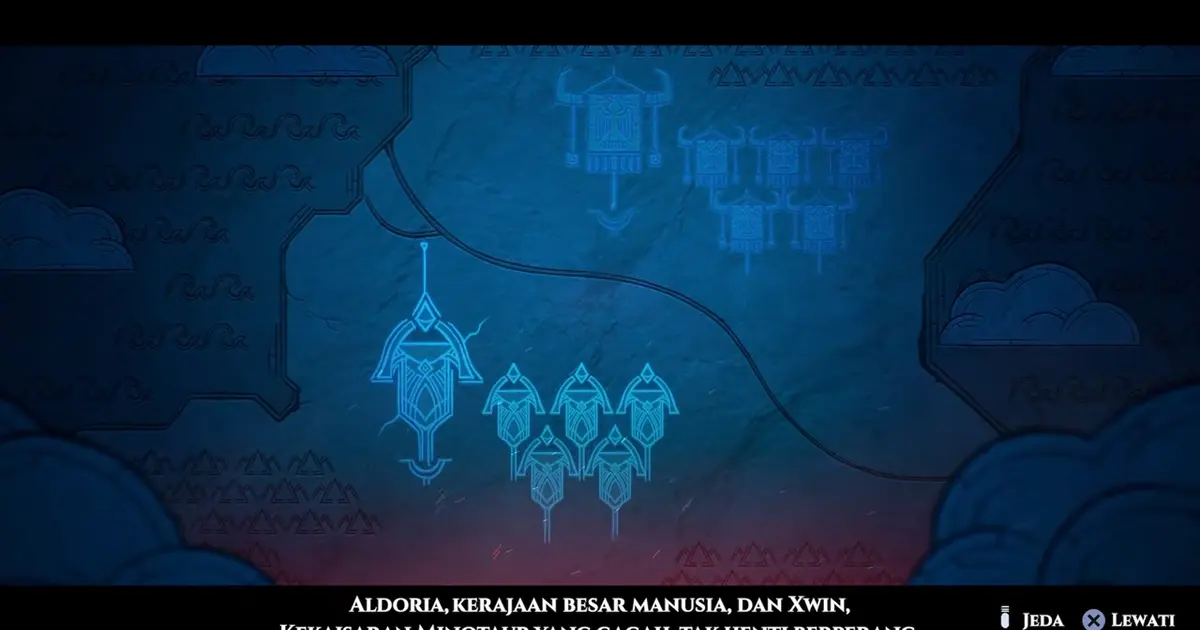
An unofficial Indonesian subtitle mod changes the displayed cinematic text; it demonstrates the result, not universal compatibility with every build.
Current catalogue boundary
The catalogue is small and fast-moving. One dated page snapshot showed eight Nexus results, while an older search snippet referred to two. That is not a contradiction in game mechanics; it is a reminder that mod catalogues change by the hour around a new Early Access release. Counts, download totals and update timestamps should be treated as a dated snapshot.
The evidence also includes ModDB and GitHub topic pages. A category page proves that projects or listings exist, not that every project is functional, safe or maintained. Some unrelated online pages mix quality-of-life tools with trainers and cheat clients. Do not treat the word “mod” as a single risk category.
This page does not claim that Vortex, another manager or manual copying is the correct method for every Dimraeth mod. The available excerpts do not provide consistent installation documentation or a verified loader requirement. Follow the instructions for the exact selected release and stop if the package expects a different game build.
Navigation mods
The Reno's Minimap listing describes a customizable minimap with a player marker, compass, dialogue hiding and a toggle. That makes its intended value clear: persistent orientation support rather than a character-stat change.
Navigation assistance is still not neutral. A minimap may reveal terrain, markers or direction information the normal interface expects the player to discover. It can also cover dialogue or combat UI if its layout does not scale correctly. Before keeping it, test the following:
- Open and close dialogue near the minimap region.
- Change resolution or window mode and check whether the map stays on screen.
- Enter combat and verify that warnings, health and resource elements remain readable.
- Move between the Lost Caverns, a village area and forest terrain to check loading transitions.
- Join only a private session and confirm whether the overlay remains local.
- Disable the minimap and confirm that the base UI returns without leftover elements.
If orientation is the only problem, the Dimraeth map guide provides an unmodified alternative. Use it to decide whether a persistent overlay is necessary or whether a reference page is enough.
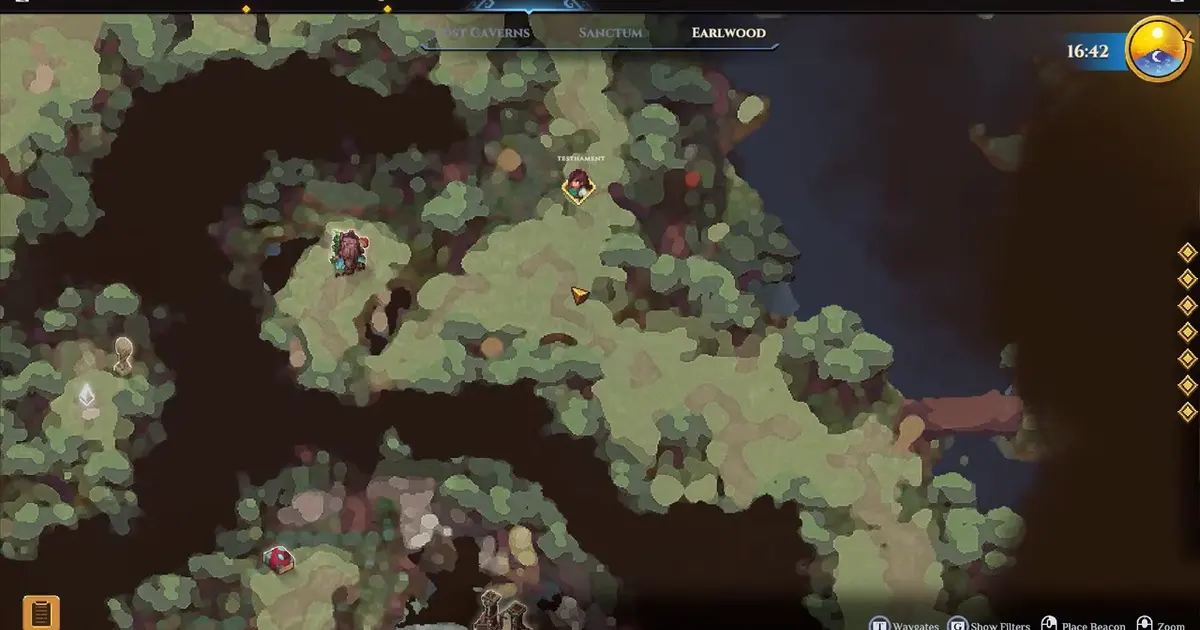
The normal quest map is the baseline to compare before deciding that a minimap overlay solves a real navigation problem.
Camera and zoom mods
The Quick Zoom listing says it changes camera zoom through configurable hotkeys, with a menu for key rebinding, zoom sensitivity and reset. That is a focused quality-of-life purpose, but it does not document supported ranges or compatibility with controllers.
Excessive zoom can expose unloaded edges, reduce readability or change how attacks and interactable objects are framed. A key binding can also overlap with a combat, menu or accessibility control. Start from the default view, record the original setting and test small adjustments.
Check both extremes you actually plan to use. At a wider view, confirm that target feedback, ground effects and interaction prompts remain visible. At a closer view, confirm that nearby enemies and navigation cues are not hidden. Reset before testing a combat guide so camera changes do not become an undocumented advantage or disadvantage.
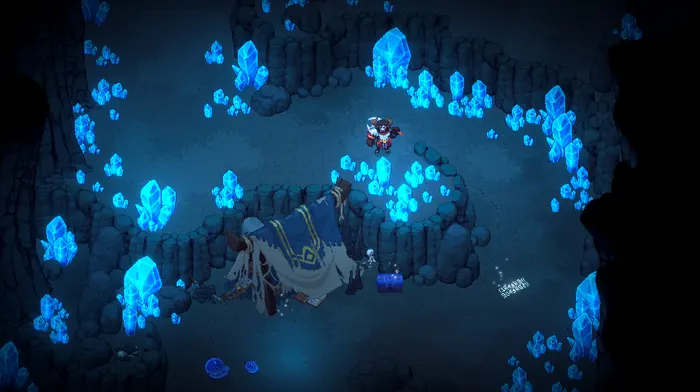
Use ordinary exploration framing as the comparison point when testing camera or zoom changes.
Difficulty and level changes
The catalogue includes a mod described as adding a fourth “Hell Mode” difficulty and allowing a custom level cap. The listing establishes the author's advertised purpose. It does not establish the underlying scaling formula, loot changes, multiplayer behavior or safe migration back to an ordinary cap.
Difficulty and level modifications should use a dedicated character. A custom cap can change skill-point availability and progression assumptions. Removing the mod later may leave the character above the normal Act I cap or with points that the base build does not expect.
The Dimraeth Early Access max-level guide covers the announced level 25 boundary for Act I. Keep modded results separate from that normal limit. A level reached through a custom-cap tool is not evidence that the unmodified game supports it.
For difficulty testing, record the normal setting, character level, equipment and encounter. Change only the difficulty mod. If the result feels harder, identify whether enemy health, damage, aggression or another variable changed rather than reporting a general impression as a known formula.
Translation mods
The GitHub topic capture shows an unofficial French translation project described as covering 24,886 lines with an automatic patcher. The line count belongs to that project's description; it is not proof that every current Early Access string is translated correctly.
Translation patches face a predictable Early Access problem: game text changes. A patch can remain technically installable while missing new dialogue, overwriting corrected text or applying an older string map. Check the project's update date against the installed build and retain the original language files through a verified backup or the platform's repair function.
Test more than the opening screen. Inspect character creation, item tooltips, quest objectives, dialogue choices, crafting requirements and error messages. A translation that reads well in conversation can still break a variable, truncate a button or leave a critical requirement in another language.
Do not combine a translation patch with another mod that edits the same text resources until each works alone. If a problem appears, remove the newest change first and verify the base files before blaming the translation itself.
Navmesh fixes and targeted patches
A Nexus result titled “navmesh fix” appears in the dated catalogue snapshot, but the supplied excerpt does not explain the affected area, symptom or installation path. That is not enough to recommend it as a general improvement.
Use a targeted fix only for a reproduced problem that matches its documentation. Record the location, route and behavior before installing. After the patch, repeat the exact route. Then remove the patch and confirm the original behavior returns. Without that comparison, a normal change in path choice can be mistaken for a successful fix.
Avoid treating a targeted patch as permanent infrastructure. When the game updates, check whether the base build corrected the problem. A community patch that remains active after an official fix can reintroduce the old data or create a new conflict.
Cheat-style mods
Some current listings advertise automatic loot, experience, skill points, forge resources, cargo or wide-ranging character controls. These change more than presentation. They can affect progression, inventory, balance and portable character data.
Use the Dimraeth Cheat Engine safety guide for the stricter boundary: a disposable private world, a test character, an exact version match, one change at a time and a restorable backup. Do not carry a modified character into another player's world without explicit agreement.
A cheat-style tool can be useful for reproducing a bug or testing a build interaction, but its results must be labelled. Unlimited resources, altered speed or added skill points cannot support a normal-game build recommendation.
Selecting one mod
Start with the player problem, not the catalogue. A long list encourages installing features that do not solve anything and makes failures difficult to isolate.
| Problem | Narrow candidate | Unnecessary expansion |
|---|---|---|
| Getting lost in current areas | Minimap or external map reference | Progression and combat menu |
| Camera framing is uncomfortable | Zoom control | Full trainer suite |
| Language blocks quest understanding | Translation patch | Difficulty or inventory changes |
| Base difficulty is no longer engaging | Dedicated difficulty mod on a new save | Simultaneous custom cap and resource edits |
| A specific pathfinding bug repeats | Version-matched targeted fix | Unrelated quality-of-life collection |
Read the entire release description, requirements, version history and recent issue discussion before downloading. A thumbnail and short catalogue description are not an installation guide.
Backup and baseline
Dimraeth separates portable hero progression from world-bound story, recruited allies and buildings. A safe test therefore protects both sides. Close the game before copying data, keep an untouched copy outside synchronized folders, and label it with the date and installed build.
Before installing, record:
- Character level and important attributes.
- Current equipment, inventory and gold.
- Active spells and skill allocation.
- Current quest and world host.
- Important facilities or recruited allies.
- Resolution, input method and UI settings for interface mods.
The evidence does not establish save paths or cloud-sync order, so this page does not invent them. Confirm those details for your system. A backup that the launcher silently overwrites is not a recovery plan.
Clean one-at-a-time setup
A simple installation ledger prevents most diagnostic confusion. For each mod, record the release name, version, game build, files added or replaced, configuration file and removal steps. Keep the original archive so you know what belonged to that release.
Install one mod, launch, load the disposable state and test only its primary function. Exit and relaunch before adding the next mod. A feature that works during the first session but fails after a cold start is not stable enough to become a foundation for a larger stack.
Do not copy several archives into the game folder and assume the last one wins safely. Overwriting can merge incompatible versions or make removal impossible. If a release lacks a file list or uninstall procedure, consider that a meaningful risk signal.
Compatibility testing
Test in layers:
Launch and load
Confirm the game starts, the main menu behaves normally, and the disposable character and world load. Check logs if the release documents them, but do not ignore a visible problem merely because no error appears.
Core feature
Use the mod's primary feature once. Toggle a minimap, adjust zoom, switch language or enter the intended difficulty. Verify that the function matches the description.
Adjacent systems
Check nearby features likely to share UI or data. A minimap needs dialogue and combat tests. A translation needs quests and tooltips. A custom cap needs training and skill-tree checks.
Save and restart
Save only the disposable state, close the game fully and relaunch. Confirm the base game and mod state both remain coherent.
Removal
Follow the documented removal steps, verify base files if needed and load the disposable state again. A mod is not safely adopted until you understand how to leave it.
Conflicts and load order
No verified Dimraeth load-order system is available here. Do not invent one from conventions used by another game. Two mods can conflict simply because they replace the same file, register the same key or patch the same method.
When two individually working mods fail together, compare their file lists and functions. Keep the one that solves the higher-priority problem. Avoid random reorder experiments unless the relevant loader explicitly documents precedence.
Collections that bundle many changes make isolation harder. Use them only after understanding every included feature and configuration. “Zero lag” or “highly configurable” in a listing is an author claim, not independent compatibility evidence.
Update procedure
An Early Access update should reset the trust state of every code or data mod. Before launching the updated game:
- Record the new game build.
- Disable or remove mods using their documented method.
- Verify the unmodified game launches and loads a clean state.
- Check each mod for an explicit update or compatibility note.
- Reintroduce one mod at a time on the disposable state.
- Keep the previous backup until the new setup survives save, restart and removal tests.
Do not assume a small patch is safe. The visible patch size does not reveal whether a method, address, UI file or localization table changed.
Troubleshooting matrix
| Symptom | Likely area | First safe action |
|---|---|---|
| Crash before menu | Loader, replaced file or build mismatch | Remove the last mod and verify base files |
| Crash on loading a character | Save-affecting mod or stale data | Use the disposable backup; do not open the valued save |
| Missing text or broken buttons | Translation or UI conflict | Return to the base language and test one UI mod |
| Input key performs two actions | Hotkey collision | Rebind or disable the narrower mod |
| Quest or facility state changes | Progression tool | Exit without saving and restore world plus character backups |
| Mod feature disappears after patch | Version incompatibility | Wait for a matching update instead of stacking workarounds |
| Uninstall leaves errors | Incomplete removal or modified save | Verify files and restore the pre-install state |
Current recommendation
Use presentation and navigation mods only when they solve a real access or comfort problem. Keep difficulty, level and progression tools on separate test characters. Treat translations as versioned content patches that need broad text checks. Treat any executable or auto-updater as a software trust decision, not merely a game setting.
The current catalogue is too young to support a permanent “best mods” ranking. A focused minimap or zoom tool may be useful today, while a game update may change the need tomorrow. The most durable setup is the one you can explain, reproduce and completely remove.