
Third-party Dimraeth Cheat Engine tables and trainers exist, but current records do not show official mod support, a safe-list, or a promise that modified saves will remain compatible. If you use one, keep it to a private test copy, back up the relevant save and world data first, match the tool to the installed game build, and change one reversible value at a time.
The available listings advertise changes to health, stamina, concentration, cooldowns, movement, gold, experience, skill points, damage and crafting requirements. Those are third-party claims, not verified game features. This guide explains what the claims mean and how to limit damage; it does not provide downloads, bypasses, developer keys or instructions for affecting another player's world.
Dimraeth Cheat Engine risk summary
| Decision | Lower-risk choice | Higher-risk choice |
|---|---|---|
| Session | A disposable private test | A shared or public co-op world |
| Save | A copied save with a recorded baseline | The only copy of a long-running character |
| Game version | An exact version match stated by the tool author | A table made for another Early Access build |
| Change size | One small, observable and reversible edit | Several progression values changed at once |
| Tool source | A transparent release with version history and discussion | A repackaged executable with no provenance |
| Recovery | Exit without saving and restore the backup | Keep playing after values become inconsistent |
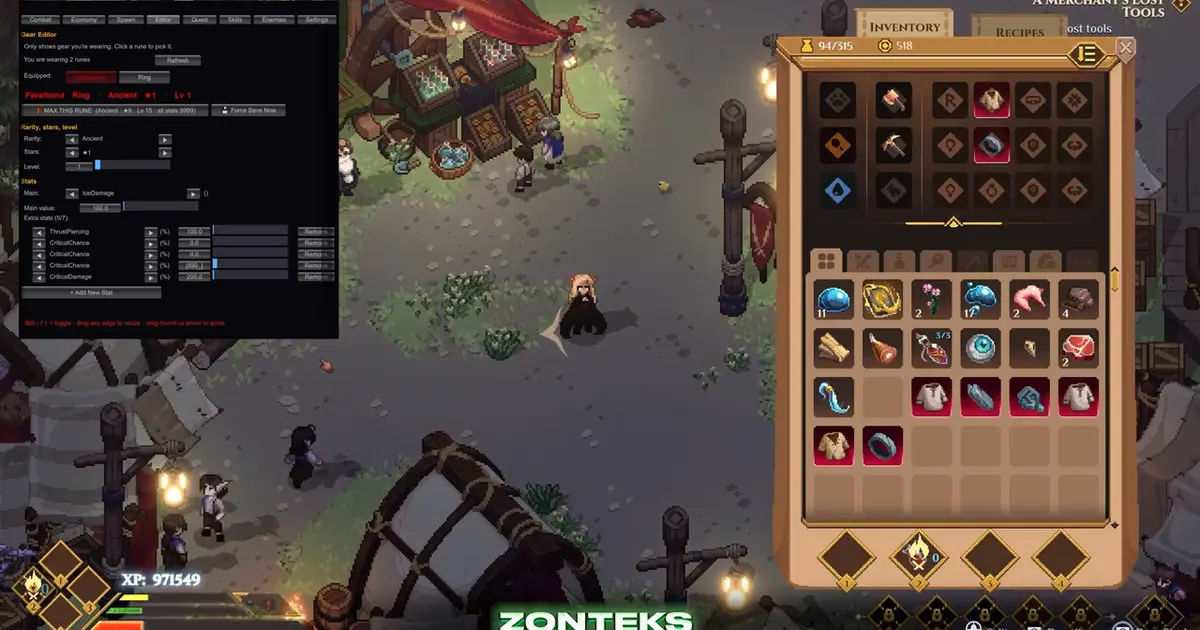
A third-party client can expose inventory, gear and stat controls beside the running game. Its presence demonstrates the risk surface, not safety or developer approval.
Evidence for current tool options
One trainer listing lists 18 options: unlimited or refill controls for health, stamina and concentration; hunger and thirst refill; cooldown and knockback changes; gold, experience and skill-point additions; one-hit kills; game-speed and movement controls. Another listing advertises god mode, damage, dash, concentration, stealth, enemy freezing, crafting-station bypasses and direct attribute editing.
These lists establish that third parties advertise such functions. They do not establish that every option works on the current build, that the labels describe the exact internal behavior, or that using them leaves a save healthy. Early Access updates can move memory addresses, change data structures or alter validation. A trainer can launch successfully while one option points at the wrong data.
A separate community table discussion exposes names associated with developer mode and commands. That is not evidence that players are authorized to enable them, and it is not a safe operating procedure. This page deliberately does not reproduce activation steps, developer-key workarounds or command instructions.
Cheat Engine and packaged trainers
Cheat Engine is a general memory inspection and editing tool. A basic demonstration shows it attaching to a running process, scanning for a visible value, changing the value in game, scanning again and narrowing the result. Unknown or decimal values require repeated filtering rather than a single exact search.
A cheat table packages addresses, pointers or scripts for a particular game and build. A trainer packages a user interface around similar changes. A mod menu may integrate changes through a different loader or code path. The names overlap in community discussion, but they create different trust and compatibility questions.
| Format | What the evidence shows | Main uncertainty |
|---|---|---|
| Manual value scan | General demonstrations can locate changing numeric values | The correct Dimraeth value type, save behavior and build stability are not documented |
| Cheat table | Community listings publish version-scoped tables and scripts | Addresses or scripts may break after updates |
| Trainer | Third-party apps advertise prebuilt toggles | The executable, updater and option behavior require separate trust decisions |
| In-game mod menu | A Dimraeth mod listing advertises direct controls | Loader requirements, compatibility and save effects are not documented |
Do not treat a polished interface as proof of safety. Conversely, a small table is not automatically safe merely because it is readable by another application. Evaluate the release history, author identity, file changes and current user reports before running any third-party software.
Private-world boundary
Dimraeth supports co-op and separates some hero progression from world progression. That makes modification risk broader than a single local encounter. A changed character may carry level, equipment, inventory, spells or personal progression into another world, while story, allies and buildings remain tied to the world.
For that reason, a private test should use both a test character and a test world. Modifying only the world does not isolate a portable hero. Modifying only the character does not isolate world events or facilities. Keep the experiment away from a shared save unless every participant has explicitly agreed and the tool's behavior is understood.
No current developer policy on trainers or Cheat Engine is available here. The available Dimraeth records also do not establish the presence, scope or enforcement behavior of anti-cheat. General Cheat Engine behavior in online games is not Dimraeth-specific proof.
Save protection before testing
A useful backup is a restorable state, not merely a folder copied at an unknown time. Before any modification:
- Close Dimraeth so files are not being written during the copy.
- Identify the character and world state you intend to test.
- Copy the relevant data to a separate location with the date and game build in its name.
- Confirm the copy has files and a plausible size instead of assuming the operation completed.
- Start the unmodified game once and record the visible baseline: character level, key attributes, gold, current equipment, active quests and world progress.
- Close the game again before attaching or installing a tool.
Current records do not document Dimraeth's save-file locations, cloud synchronization order or restore procedure, so this page does not invent paths. If cloud sync is enabled, a local copy may be overwritten or a modified state may upload. Understand that synchronization behavior before relying on one backup.
Keep at least one untouched copy outside any folder the game or launcher automatically manages. Do not test restore by overwriting the only live state. First make a second disposable copy, then verify that the game can read it through the normal mechanism available on your system.
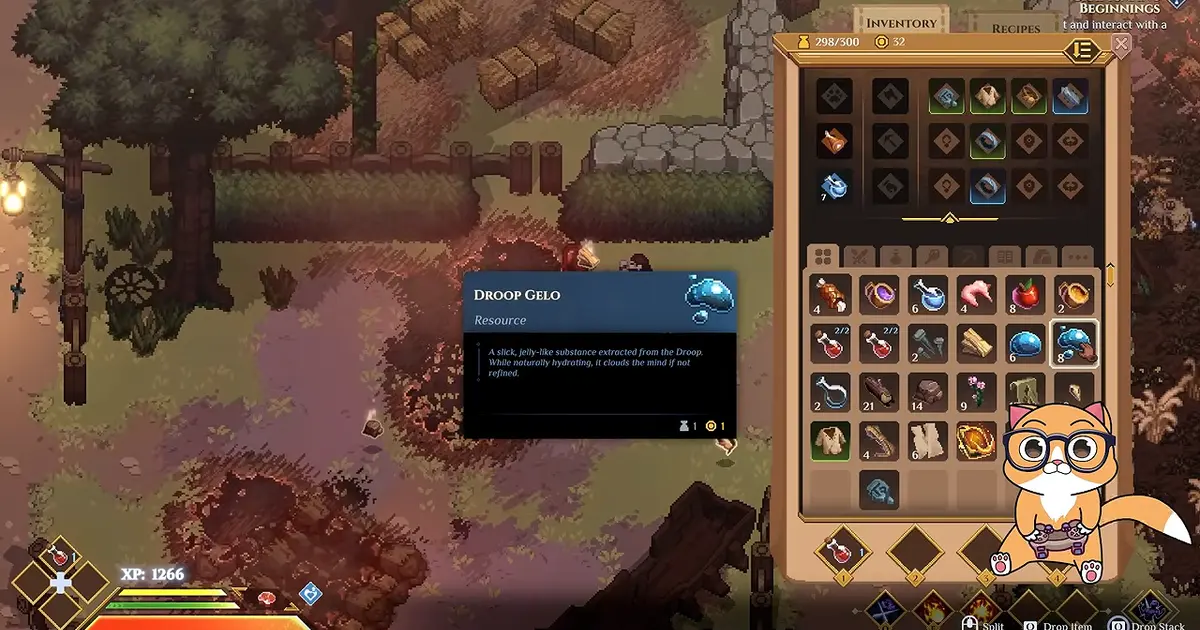
Record inventory and resource values before testing so a changed or missing stack can be detected afterward.
Version matching in Early Access
One listing snapshot names game version 0.107.7694, while other tool pages use their own update dates or version numbers. That version is evidence for the listed tool's claimed target, not a statement that it matches your installation today.
Record the installed build before testing. If the table or trainer does not name that build, assume incompatibility until the author provides evidence otherwise. A small game patch can change addresses without changing the visible option labels.
Common incompatibility signs include:
- The tool attaches but no option changes the intended value.
- An option changes a different resource or attribute.
- The game closes when an option is enabled.
- A value appears correct until the next area, load or save.
- The character loads with impossible totals or missing progression.
- A shared world rejects or reverses the change.
Stop at the first mismatch. Enabling more options does not repair an incorrect address map.
One-change test protocol
The safest useful experiment is narrow and observable. Choose a change that does not unlock story, complete quests or create irreplaceable items. Record the starting value. Apply one change. Return to the game and observe the intended value plus nearby systems. Then save only if the state remains coherent and you are willing to keep it.
Avoid combining level, experience, skill points and attributes in the same first test. Those values can represent related but distinct progression. The Dimraeth respec guide explains the normal separation between attribute training and skill allocation. A tool that increases a display value may not reproduce every event the game normally triggers while leveling.
Gold and inventory edits can also have downstream effects. A visible amount may change, but purchase history, unlock conditions, stack metadata or achievement state may not. The evidence does not provide a complete data model, so no edit should be assumed equivalent to earning the resource normally.
Resource options and misleading tests
Unlimited stamina or concentration can make a build look functional even when its real resource loop is broken. Cooldown removal can hide timing gaps. One-hit damage can hide weak defenses, and movement multipliers can bypass the positioning constraints an encounter is designed around.
If the goal is build testing, turn off the alteration before judging the build. The Dimraeth concentration guide explains the normal restoration loop, while the movement guide separates ordinary speed, encumbrance and combat recovery. A result produced with unlimited resources should be labelled a tool-assisted test, not a normal build benchmark.
Use two passes:
- A setup pass in the disposable environment, where a tool may shorten the time needed to assemble the test.
- A validation pass with all modifications disabled, where the build must pay its real costs and survive normal constraints.
This preserves the difference between testing an interaction and advertising an impossible sustained rotation.
Progression and quest hazards
Progression edits are higher risk than temporary combat toggles because their consequences can persist. Directly adding levels, skill points or experience may put related counters out of sequence. Completing or resetting a quest or event can affect world state that other objectives expect.
The community command list includes quest, event, deed, NPC, shop and facility concepts. That breadth is precisely why those commands should not be treated as a harmless menu. the available documentation does not document prerequisites, rollback behavior or side effects.
If a normal objective appears stuck, troubleshoot the normal condition first. Check the active quest text, required item, location, time or prior step. Use a tool only in a disposable reproduction after establishing that the issue is not a missed requirement. Never make an undocumented quest completion the first fix on a valued world.

Normal equipment and progression interfaces provide a baseline that a modified save must still load coherently.
Download and execution safety
This site does not host or link a download button in the article body. A third-party page, video description or familiar brand name is not enough to establish that a particular file is authentic. Third-party tools can request broad process access, trigger security warnings or bundle update components.
Before execution, evaluate:
- Whether the page is the author's actual release page rather than a mirror.
- Whether the named file and version match the page description.
- Whether checksums or transparent release history exist.
- Whether recent comments report unexpected behavior.
- Whether the package asks to disable protections, run unrelated installers or grant unnecessary permissions.
- Whether the tool contacts services unrelated to updates or licensing.
Do not weaken system security merely because a false positive is possible. If you cannot independently assess the file, do not run it. A gameplay shortcut is not worth turning an uncertain binary into a trusted process.
Troubleshooting a failed test
| Symptom | First response |
|---|---|
| Game crashes on attach | Close the tool, restore the clean launch state and verify the build match |
| Toggle has no effect | Do not stack more toggles; assume an address or version mismatch |
| Wrong value changes | Exit without saving and restore the test backup |
| Value reverts after loading | Treat it as non-persistent or validated elsewhere; do not repeatedly force it on a valued save |
| Character cannot load | Preserve the broken copy for diagnosis and restore the untouched backup |
| Co-op state differs | Stop using the modified character in shared worlds and separate hero progress from host-world progress |
| Build fails without the tool | Rework costs, recovery and defenses under normal rules |
After recovery, verify the baseline values you recorded earlier. A successful launch alone does not prove the save is clean.
Run one final clean-session check after every experiment. Restart the computer or at least close the game and tool completely, launch Dimraeth without the table or trainer, and load only the disposable state. Recheck the visible level, attributes, resources, equipment, active quest and world location against the baseline. Then perform an ordinary action that writes progress, close the game, and load again.
This extra restart distinguishes a temporary memory edit from a persistent state change. It can also reveal an updater, background process or configuration that remains active after the visible window closes. If the game behaves differently without the tool, preserve both the pre-test backup and the disposable changed copy. Do not merge the uncertain state into the only character or world you value.
Current evidence boundary
Third-party Dimraeth cheat tables, trainers and a cheat-style mod menu were listed in September 2026, and their pages advertise many options. The evidence does not verify every option, certify any download, provide an official compatibility policy or document safe use in co-op.
Use the Dimraeth mods guide for a broader comparison of minimap, camera, difficulty, translation and cheat-style modifications. For Cheat Engine specifically, the defensible approach is a disposable private environment, an exact build match, one change at a time and a tested backup. Anything beyond that exceeds what current records can safely promise.